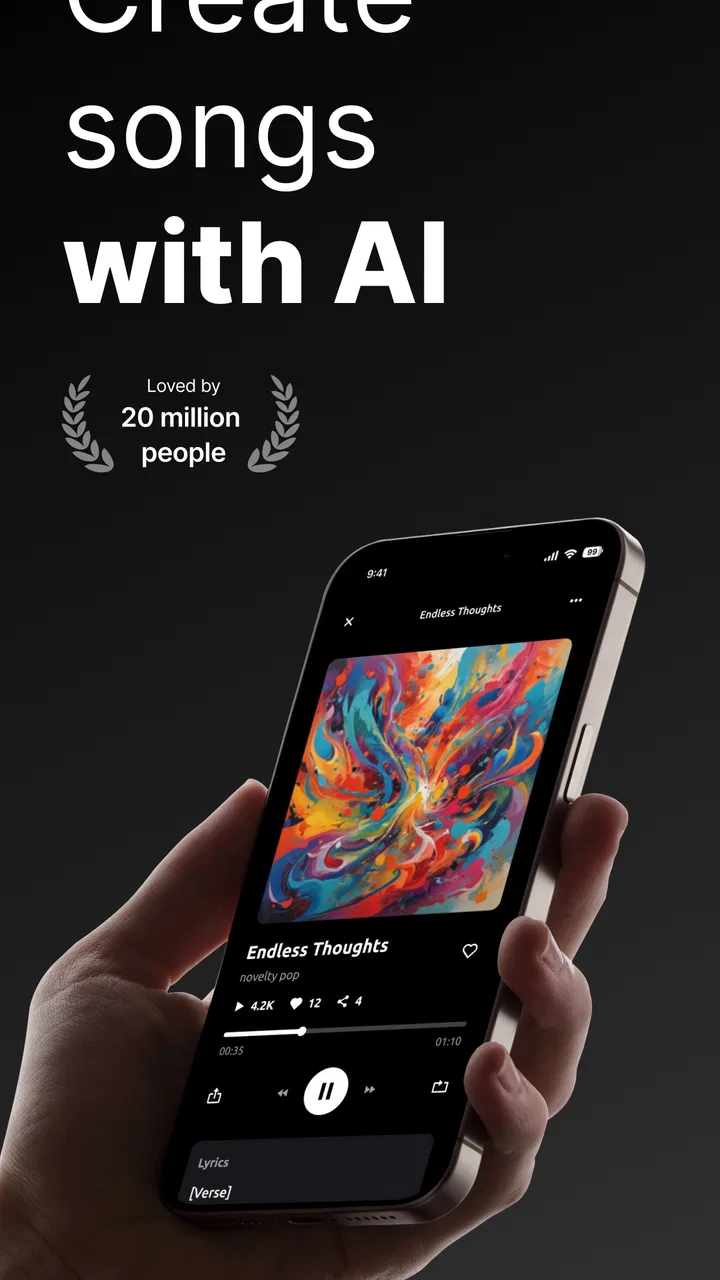
Zona: AI Song Maker & Creator
- 4.5
- Rating
- 1.00M
- Installs
- Free
- Price

 Analysis by App-foxy
I opened Zona: AI Song Maker & Creator with a simple goal: turn a rough idea into something that sounded like a song rather than leaving it as a note in my phone. That starting point matters, because this is not a traditional recording studio or a full digital audio workstation. It is a creative assistant for people who want help moving from words and a mood toward lyrics, music, and beats.
In my experience, the app is most useful when I arrive with at least a small concept. A subject, a feeling, a scene, or a few lines gives the process direction. If I expect it to invent my entire artistic identity without input, the results feel less personal. If I treat it as a fast sketchbook for songwriting, it becomes much more interesting.
From a rough idea to a finished song concept
I focus on how Zona turns a small musical idea into something I can react to, rather than expecting a finished track at the tap of a button. That distinction also helps set realistic expectations for speed: a quick draft is useful when I have a spare moment, but the best results still depend on choosing a clear direction and taking time to edit. Next, I look at what happens when I push that creative process further.
You May Also Like

 Blood Strike: 2.5 Anniversary
Blood Strike’s Loadouts Turn Every Drop Into a Tactical Gamble
A close look at Blood Strike’s custom loadouts: how fast access to signature weapons reshapes its battle royale rhythm, rewards preparation, and narrows the gap between fights.

 Pandora - Music & Podcasts
Pandora’s Music Is Easy to Start, but Harder to Recover
Pandora’s strength is its low-effort path from a seed to a station. Its weak spot is how much confidence it asks you to place in connection, setup, and quiet recovery.

 8 Ball Pool
 Is Built on Rivalries, Rematches, and Routine
A close look at the rivalries, rematches, shared routines, and unanswered safety questions that turn a quick pool match into a persistent mobile community.

 Samsung Music
’s Quiet Strength Is Playing What You Already Own
Its reach comes less from spectacle than from dependable access to a personal library. That simplicity is both the app’s strongest retention engine and its ceiling.

 AccuWeather: Weather Radar
AccuWeather Review: A Quick, Clear Forecast for Everyday Decisions
For everyday plans, the best forecast is the one you can understand quickly. AccuWeather makes rain timing, radar, and local conditions easy to act on, with a few trade-offs.

 Hill Climb Racing
Why Hill Climb Racing Still Turns Crashes Into One More Run
A tiny car, a bumpy hill and one more upgrade: Hill Climb Racing keeps resurfacing because its simple chaos makes every near-miss feel personal.
More From Our News Desk



Starting with the idea instead of a blank page
The first practical advantage is that Zona lowers the pressure of the empty page. I can begin with a lyric idea or a theme, then use the app’s AI-focused approach to develop that starting point into a broader song concept. This makes it suitable for a beginner who does not know how to structure verses and choruses, but it also has value for someone who already writes and wants a quick alternative direction.
I would not begin by asking for something impossibly broad such as “make me a perfect hit.” A better workflow is to decide what the song is about, what emotional color it should have, and what kind of moment it is meant to fit. For example, a late-night song about missing a friend needs different language from an upbeat track intended for a casual party. The more clearly I define that starting condition, the easier it is to judge whether the generated material is useful.
This is one of the app’s less obvious strengths: it gives me a way to test an idea before investing time in a full production setup. I can discover that a theme works better as a reflective song than a cheerful one, or that a promising phrase needs a stronger chorus. That kind of early experimentation is often more valuable than polished sound at the beginning.
Building lyrics with enough human editing
The lyric-making side is convenient when I have a topic but no structure. It can help turn scattered thoughts into lines that resemble a song, which is especially helpful when I am trying to understand how a verse might lead into a repeated hook. I found that the best results come when I use the generated text as a draft, not as a final lyric.
AI-written lyrics can sound smooth while still feeling familiar or emotionally vague. I would always read through the wording and replace lines that do not sound like something I would actually say. A specific detail from real life usually improves the result more than another round of broad emotional language. Changing one image, shortening a phrase, or adding a personal expression can make the difference between a generic draft and a song with a recognizable voice.
There is also a useful handoff here. Zona can help me get from an idea to a lyric framework, but the writer still needs to take ownership before sharing it. I would copy the strongest lines into my own notes, mark the phrases that deserve to stay, and rewrite the rest around my intended rhythm. That workflow keeps the speed of AI without pretending that the first output is automatically finished.
Moving from words to music and beats
Once the lyric direction is clear, the next step is to explore the musical side. Zona is designed to create music and beats as well as assist with lyrics, so it can bridge a gap that many writing tools leave open. Instead of ending with a page of text, I can hear the idea moving toward a song-shaped result.
This is particularly useful for people who do not play an instrument. A lyric can look convincing on a screen and still be difficult to imagine musically. A generated musical draft gives me something concrete to react to: the mood may fit, the pacing may feel wrong, or the beat may suggest a better chorus. Listening changes the editing process because I am no longer judging words in isolation.
My advice is to treat the first musical result as a direction finder. If it feels too slow, too plain, or mismatched with the lyrics, that is not necessarily a failed session. It may reveal what the song needs. I might simplify the words, change the emotional angle, or return to the original idea with a clearer target. The app is strongest when I use these outputs to make decisions rather than waiting for one flawless generation.
Managing the handoff between writing and production
The handoff from lyrics to music is where the app feels most practical for casual creators. In a conventional workflow, I might need separate writing tools, beat-making software, recording equipment, and enough knowledge to connect them. Zona offers a more direct path for an early concept, keeping the writing and musical exploration close together.
That convenience has a trade-off. A dedicated music-production app will usually offer deeper control over arrangement, recording, mixing, and detailed sound design. Zona is better suited to getting an idea moving than to replacing a serious studio environment. If I already know exactly how I want to edit individual tracks or shape a detailed mix, I would probably prefer a specialized tool after the initial concept stage.
The sensible workflow is therefore a handoff rather than an all-or-nothing choice. I can use Zona to develop the concept, lyrics, and beat direction, then continue elsewhere if the project grows. Even without a complicated production setup, I can still use the generated result as a reference for a later performance or a more controlled arrangement.
What the finished result is good for
The outcome is most valuable as a song sketch, a creative prompt, or a shareable experiment. It can help me decide whether an idea deserves more work, give a friend a quick demonstration of a concept, or provide a starting point for a personal project. For a beginner, simply reaching an audible result can be motivating because the distance between imagination and something playable becomes much shorter.
I also see a useful role for it in everyday planning. Imagine I am preparing a small video, a birthday message, or a private joke for friends. I have a theme and a few lines, but no musical background. Zona can help me explore a song-like version quickly instead of abandoning the idea because I cannot compose from scratch.
Another non-obvious use is comparison. I can take the same central lyric idea and approach it from different emotional angles, then listen for which direction feels honest. That is not just content generation; it is a way to make creative choices. The app becomes a sounding board, especially when I am stuck between two possible moods.
A realistic everyday session
Here is how I would use it after a long day when I want to make something without turning the evening into a technical project. I would start with a short description of the situation, such as wanting a warm, reflective song about reconnecting with an old friend. I would review the lyric draft and keep only the lines that sound natural to me.
Next, I would move toward the music and beat side, listening for whether the result supports that reflective feeling. If the musical direction feels too energetic, I would not force the lyric to fit. I would revise the wording or rethink the mood, then compare the new result with the first attempt. The important point is that I am making small, deliberate changes instead of accepting the first output blindly.
At the end of that session, I might have a complete song concept, even if it still needs personal editing. That is a realistic expectation: a useful draft that gives me momentum. For a professional release, I would want more control and a careful review of every creative element before treating it as final.
Where the flow breaks down
The biggest weakness is the gap between convenience and precision. AI can move quickly, but speed does not guarantee originality, emotional accuracy, or a result that matches the sound in my head. When I want exact control over melody, arrangement, vocal delivery, or production details, the streamlined approach can feel limiting.
There is also a creative risk in accepting generated lyrics too easily. If I use them without editing, the song may lose the personal detail that makes it memorable. I would especially avoid relying on the app for sensitive stories where the exact wording matters. In those cases, I would write the important lines myself and use the app only to explore surrounding ideas or musical possibilities.
Another point to consider is the business model. The app is free to install and use as a Music & Audio app, but it includes in-app purchases ranging from a few dollars to amounts reaching the mid-seventies per item. I would explore the free experience first and pay close attention to what is available before committing to a purchase. That matters for occasional users, because a tool used once or twice may not justify spending at the higher end of that range.
The age rating is Everyone, which makes the app approachable for a broad audience. Even so, I would still guide younger users toward treating generated material as a creative draft and reviewing it with an adult when the subject matter is personal or intended for public sharing. The rating makes the app accessible, but it does not remove the need for sensible editing.
How it compares with familiar alternatives
Compared with a standard lyric notebook, Zona offers a much faster route from words to an audible musical idea. A notebook is better for private reflection and complete control over language, but it cannot show me how a phrase might work with a beat. Zona is more useful when I need momentum and a quick way to hear possibilities.
Compared with a conventional digital audio workstation, it is easier to approach but less suited to detailed production. A workstation makes sense when I have recorded parts, want to edit individual layers, or need precise mixing decisions. Zona makes more sense earlier, when I am still asking what the song should become.
Compared with a traditional beat-making app, its appeal is the connection between lyric creation and musical exploration. A beat-focused tool may be preferable if rhythm is my only priority. Zona is more attractive when I want the words and the music to develop as one idea rather than treating the beat as a separate starting point.
Who should try it and who should skip it
I would recommend Zona to beginners, casual creators, lyric writers who need a musical prompt, and anyone who wants to test a song idea without learning a large production system first. It is also a good fit for people who enjoy experimenting with different moods and want an immediate result to react to.
I would be more cautious about recommending it to an experienced producer looking for fine-grained control, or to a songwriter who needs every line and musical decision to come directly from personal composition. In those cases, a dedicated writing or production setup may be the better primary tool, with Zona serving only as an occasional source of inspiration.
The developer is AppVision LTD, and the app has built a substantial audience: it has more than a million installs, a 4.5 average from roughly 127 thousand ratings, and about 1.8 thousand written reviews. Those figures suggest that the concept is resonating with many users, but they do not change my main advice: judge it by whether its fast, guided workflow fits the way you create.
Practical details before installing
Zona is free, carries an Everyone content rating, and was released on April 29, 2024. The current version is 7.9.2, and it supports devices running Android 7.0 or later. I would check the operating-system requirement before installing on an older phone, particularly if the device has been kept for basic music playback rather than newer creative apps.
The free entry point makes it easy to test the central workflow without treating the app as a major commitment from the start. My approach would be to create one or two different concepts, assess the quality of the lyric and music handoff, and decide whether the results are useful enough for my own goals. That is more informative than judging the app from a single generated song.
My final take on the complete workflow
Zona works best as a bridge: I bring the initial idea, the app helps shape lyrics and explore music or beats, and I take responsibility for editing and deciding what deserves to continue. That division of labor feels honest and productive. It gives beginners a way into songwriting while giving experienced users a quick place to test directions.
My strongest recommendation is to use every generated result as material to work with, not as an automatic finished song. Keep the lines that sound like you, question the musical choices, and move to a deeper production tool when the project demands precision. Used that way, Zona is a friendly and accessible creative companion rather than a replacement for musicianship.
For me, its real value is the reduction of friction between “I have an idea” and “I can hear a version of it.” If that is the gap you keep running into, this app is worth trying. If your priority is professional-level control from the first note to the final mix, I would choose a more specialized alternative and use Zona only when I want quick inspiration.
FAQs for Zona: AI Song Maker & Creator
01What is Zona: AI Song Maker & Creator?
Zona: AI Song Maker & Creator is a mobile music-creation app that uses artificial intelligence to help users generate original songs from ideas, lyrics, moods, or selected styles. It is designed for beginners as well as more experienced creators who want to experiment quickly without recording instruments or learning complex production software. Depending on the version and account plan, it may offer tools for generating lyrics, melodies, arrangements, vocals, or complete song concepts.
02Do I need musical experience to use Zona?
No. Zona is intended to be accessible even if you have never written a song or used a digital audio workstation. You can generally begin with a simple description of the track you want, such as a genre, theme, mood, or vocal direction, and let the AI create a starting point. However, the quality of the result often improves when your instructions are specific. Users with musical knowledge may also enjoy refining prompts and developing the generated ideas further.
03Is Zona: AI Song Maker & Creator free to download and use?
The app may be available to download at no initial cost, but some features can be restricted by subscriptions, credits, advertisements, or in-app purchases. Limits may apply to the number of songs you can create, available styles, export options, audio quality, or commercial usage. Before generating extensively, check the current pricing and trial conditions in the relevant app store, especially because subscriptions can renew automatically unless canceled.
04Can I use songs created with Zona commercially?
Commercial rights depend on Zona’s current terms of service and the plan used to create or export the music. A generated track should not automatically be assumed to be cleared for monetized videos, streaming platforms, advertising, or client projects. Review the licensing rules carefully, including ownership of lyrics, vocals, samples, and AI-generated elements. You should also avoid prompts that imitate living artists too closely or include copyrighted lyrics and protected material.
05Does Zona work offline, and what permissions does it require?
AI music generation usually relies on online servers, so Zona may require an internet connection for creating songs, processing prompts, or downloading finished audio. The app may also request access to storage for saving or importing files, and microphone permission if it supports recording vocals or ideas. You can review and change these permissions in your device settings. Availability, performance, and supported export formats may vary between Android and iOS versions.
Pros
- Creates complete song drafts from simple text prompts.
- Offers multiple genres and moods for varied creative experiments.
- Useful for generating ideas when you lack lyrics or melodies.
- Quick results make it convenient for short creative sessions.
- Can help beginners explore songwriting without music theory knowledge.
Cons
- AI results may sound repetitive or lack a distinctive personal style.
- Generated vocals can occasionally feel artificial or uneven.
- Advanced customization may be limited compared with full music software.
- Commercial usage rights should be checked before publishing generated songs.
- High-quality generations may require credits or a paid subscription.

Zona: AI Song Maker & Creator
Gallery